How eSIM works: a plain-English guide
An eSIM is a digital SIM card built into your phone that you activate by scanning a QR code, instead of inserting a physical card. Most phones sold since 2018-2020 support it, and setup takes about five minutes.
Use code Sahrzad15 at checkout for a discount.
What an eSIM actually is
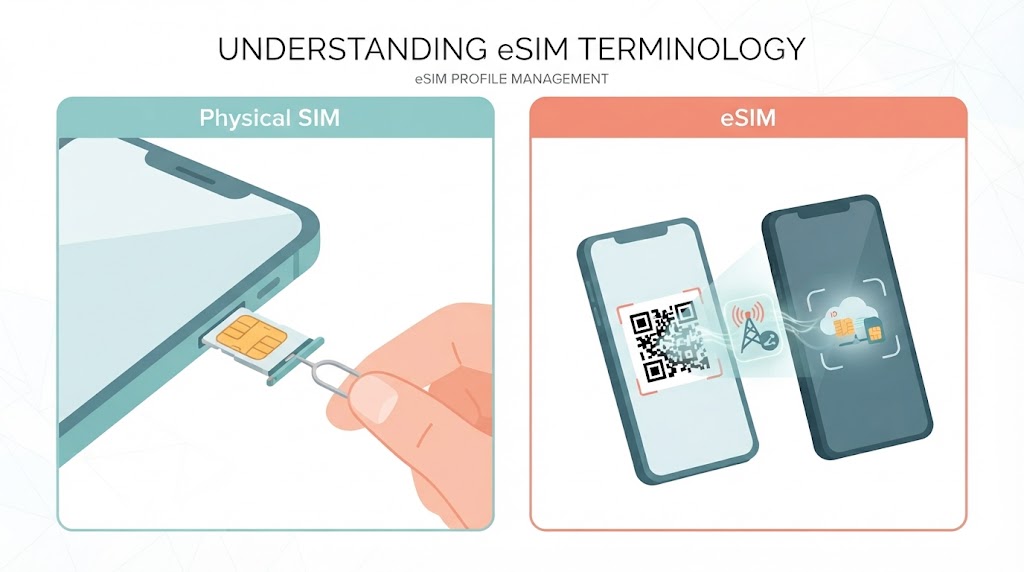
A physical SIM card is a small chip you insert into your phone. An eSIM (embedded SIM) does the same job — it identifies your phone to a mobile network — but it’s soldered into the phone’s hardware at the factory instead of sitting on a removable chip. You “install” a mobile plan onto it by scanning a QR code or tapping a link from the provider, rather than swapping a card in and out.
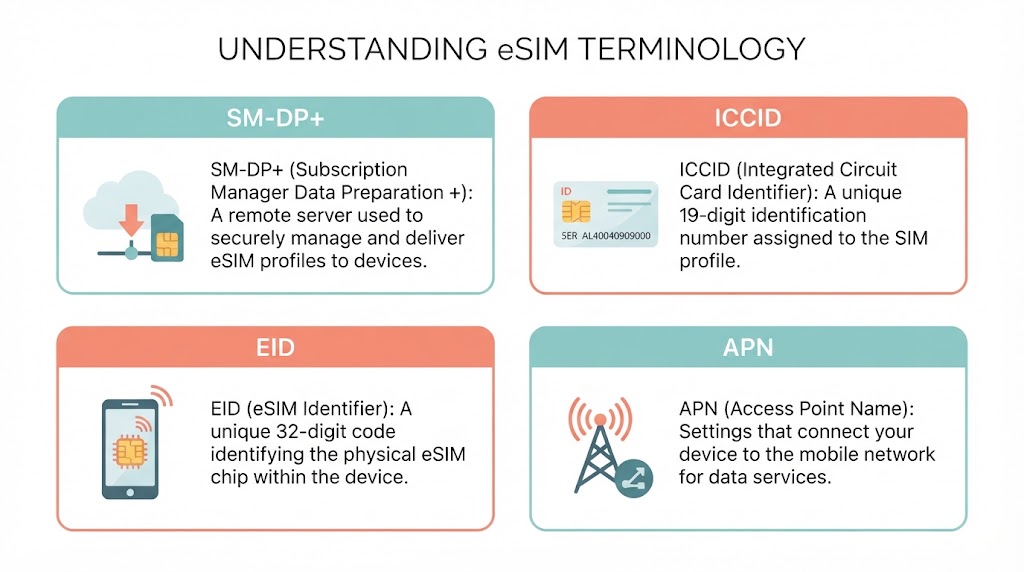
A few technical terms come up constantly in eSIM setup, so it’s worth knowing them upfront:
- SM-DP+ address — the server that delivers your eSIM profile to your phone
- ICCID — the unique serial number identifying your specific eSIM profile
- EID — the unique ID number burned into your phone’s eSIM chip itself (used to check compatibility)
- APN (Access Point Name) — the network setting that tells your phone how to reach the internet through that carrier’s data network
🧮 Not sure how many GB to buy? Try my free eSIM data calculator: enter your trip length and apps, get your exact number.
eSIM vs. physical SIM: what’s actually different
| Physical SIM | eSIM | |
|---|---|---|
| Format | Removable plastic chip | Built into the phone, nothing to remove |
| Setup | Insert card, wait for signal | Scan QR code, install profile |
| Switching carriers | Swap the physical card | Download a new profile, or switch active line in settings |
| Multiple plans | One SIM slot (or two, on dual-SIM phones) | Can store 5–10 profiles depending on phone |
| If your phone is lost/stolen | Card can be removed and reused elsewhere | Profile can’t be physically removed |
| Buying before a trip | Must arrive by mail or be picked up locally | Can be bought and installed from anywhere with Wi-Fi |
Is your phone eSIM compatible?
Most phones released from 2018–2020 onward support eSIM. Here’s the general cutoff by brand:
| Brand | eSIM-compatible models |
|---|---|
| iPhone | XS, XR, and all later models |
| Samsung Galaxy | S20 and later, most Fold/Flip models, Note 20 |
| Google Pixel | Pixel 3 and later |
| Google Pixel (dual eSIM) | Pixel 6 and later |
A few exceptions worth knowing:
- Phones sold in mainland China often have eSIM disabled by the manufacturer, even on models that support it in other regions — this affects iPhones, Pixels, and some Samsung models sold through Chinese retail channels specifically.
- Carrier-locked phones can’t add another carrier’s eSIM profile at all, regardless of hardware support.
- Some budget and mid-range Android phones released after 2020 still don’t include an eSIM chip — check your specific model rather than assuming by release year alone.
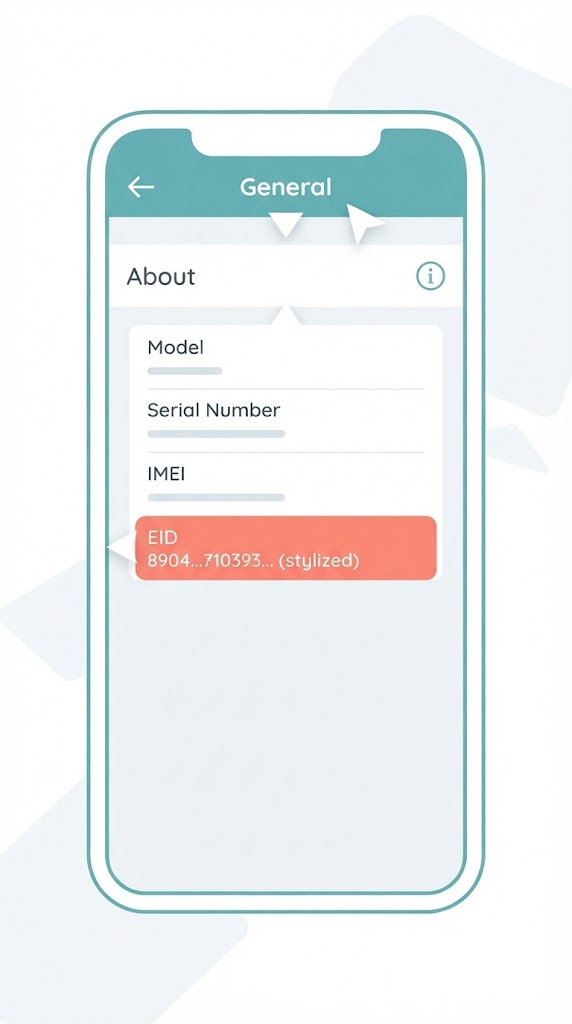
How to check on iPhone: Settings → General → About, and look for an “EID” number. If it’s listed, your phone supports eSIM.
How to check on Android: Settings → Network & Internet → SIMs (or “Mobile network,” depending on the phone), and look for an “Add eSIM” or “Download a SIM instead?” option.
How to set up an eSIM, step by step
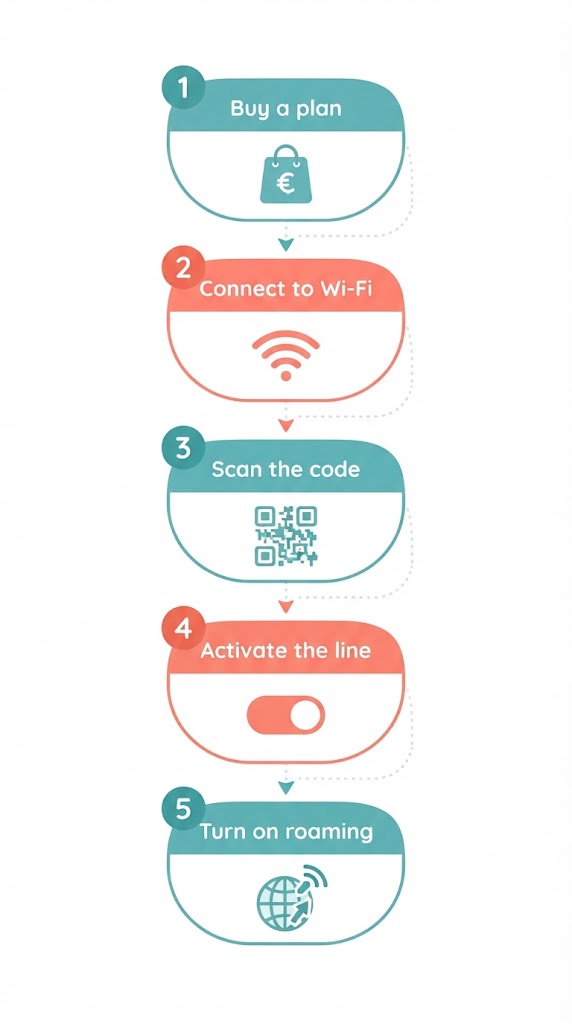
- Buy a plan for your destination from a provider (Airalo, Saily, Holafly, Ubigi, and others all sell them)
- Connect to Wi-Fi — you need internet to install the eSIM profile, so do this before you leave home, not at your destination
- Scan the QR code the provider emails you, or tap the install link if you’re buying on your phone directly
- Turn on the new eSIM line and set it as your data line, keeping your home SIM active for calls/texts if you want
- Turn on data roaming for the new eSIM line specifically — this is the single most common setup mistake, since it’s a separate toggle from your main line’s roaming setting
Common eSIM setup mistakes (and how to fix them)
- “No Service” right after installing — check that data roaming is on for the new eSIM line specifically, and that it’s set as the active data line, not just installed
- Installed the eSIM but it’s not showing up — some phones need a restart after installing a new profile before it appears as an active line option
- QR code won’t scan — screenshots sometimes compress too much to scan reliably; open the original email or provider app instead of a saved screenshot
- Bought the plan on the phone you’re activating it on — some providers require installing via a QR code emailed to a second device, since you can’t easily scan a code displayed on the same screen you’re installing it to; check for a “manual installation” option with the SM-DP+ address if this happens
Why travelers use eSIM instead of a physical SIM
The main advantage is skipping the local SIM card process entirely — no airport kiosk, no passport photocopy, no language barrier at a phone shop counter. You can also buy and activate a plan before you leave home, so you land with data already working. The trade-off is that eSIM plans are usually data-only (no local phone number for calls), which is fine for most travelers who rely on WhatsApp or similar apps anyway.
Is an eSIM safe to use?
Yes. eSIM profiles use the same encryption and authentication standards as physical SIM cards, and the GSMA (the industry body behind the standard) requires the same security certification. The one meaningful security upside: because the chip is soldered in, no one can physically remove your eSIM if your phone is stolen, the way they could pop out a physical SIM card. It doesn’t protect against SIM-swap fraud carried out through your carrier remotely — that risk applies equally to both SIM types.
Frequently asked questions
Do I need internet access to activate an eSIM?
Yes, you need Wi-Fi to download the eSIM profile when you activate it. Do this before you fly, while you still have Wi-Fi at home or in the airport — you can't activate an eSIM without any internet connection at all.
Can I have an eSIM and a physical SIM active at the same time?
Yes, most eSIM-compatible phones support dual SIM, meaning you can keep your home SIM active for calls and texts while using an eSIM for data abroad.
What happens to my eSIM when I get home?
Nothing — it just sits unused on your phone. You can delete it to free up space, or leave it installed and buy a fresh top-up next time you travel to the same region.
Will an eSIM work if my phone is carrier-locked?
No. A carrier-locked phone can't add another carrier's eSIM profile. Check with your carrier about unlocking before you travel if you're not sure.
How many eSIMs can one phone store at once?
Most modern phones can store between 5 and 10 eSIM profiles, though only one or two can be active for data at the same time depending on the model. iPhones from the XS onward typically support up to 8 stored eSIMs with one active alongside a physical SIM.
Is an eSIM safer or more secure than a physical SIM card?
Yes, slightly. An eSIM can't be physically removed or swapped if your phone is stolen, which prevents SIM-swapping by physical theft. It doesn't protect against remote SIM-swap fraud through your carrier, which is a separate risk both SIM types share.
What is an eSIM QR code, exactly?
It's an encoded image containing your eSIM's activation details — the SM-DP+ server address and a matching code. Scanning it with your phone's camera downloads and installs the profile automatically, which is why you should never share a screenshot of your QR code with anyone else.
Can I reuse the same eSIM QR code on a new phone if I upgrade?
Usually no. Most travel eSIM QR codes are single-use and lock to the first device that scans them. If you switch phones before using the eSIM, contact the provider — some allow a one-time reissue, but many don't.
Does eSIM work in airplane mode?
No differently than a physical SIM — turning on airplane mode disables all cellular radios, including eSIM data. You can still toggle Wi-Fi back on independently while airplane mode is active on most phones.
Why does my eSIM show 'No Service' right after installing it?
This is almost always one of two things: data roaming isn't turned on for that specific eSIM line, or the eSIM hasn't been set as the active data line yet. Both are separate toggles from your home SIM's settings, which is the most commonly missed step.
What's the difference between an eSIM QR code installation vs. manual installation?
QR code installation scans an image to auto-fill the activation details. Manual installation means typing in the SM-DP+ address and activation code by hand, which providers offer as a backup when you can't scan a code — for example, if you're installing the eSIM on a device other than the one with the QR code.